
Okay real talk… how many of you write a blog post, hit publish, and then just… never touch it again? 🙋♂️ Same. For years actually.
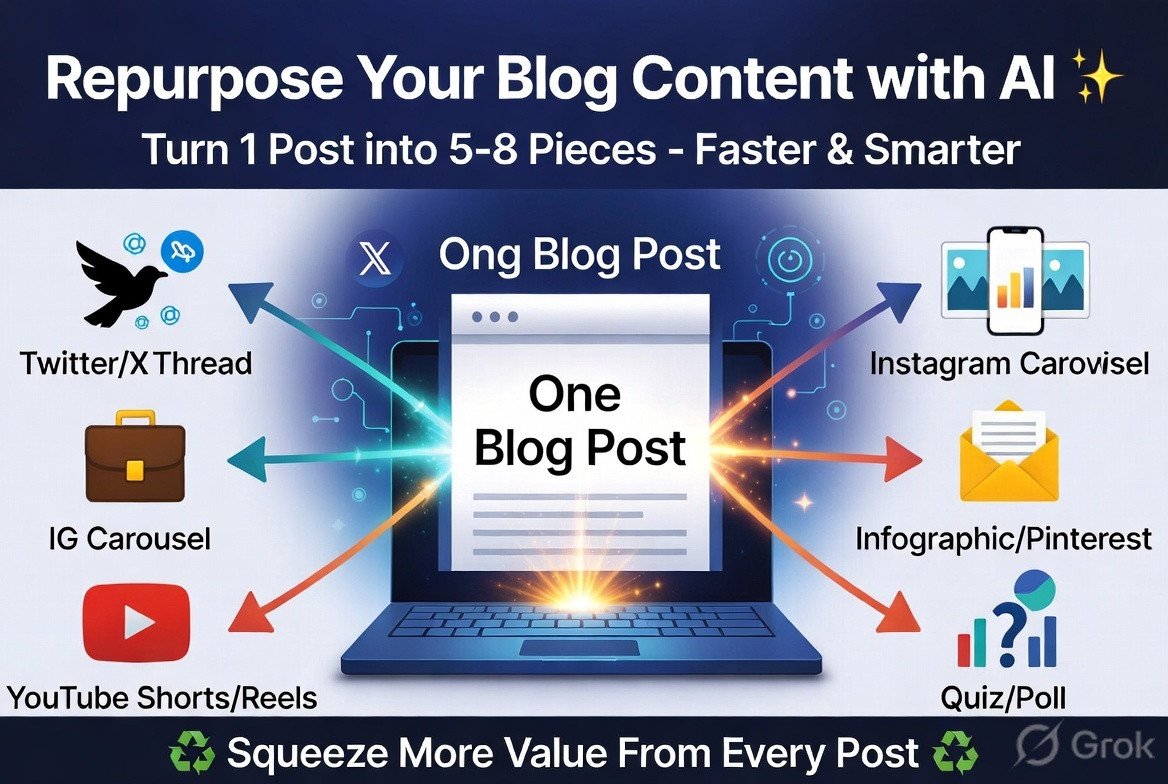
Turns out that’s a huge waste. One good blog post can become like 5-6 different pieces of content if you repurpose it right. And with AI, this takes way less effort than it used to. So here’s my simple breakdown of how to squeeze more value out of content you’ve already written. No tech jargon, promise.
Why Repurpose Content At All? 🤔
Quick reasons before we get into the how:
- You already did the hard part (research + writing). Why waste it?
- Different people consume content differently. Some read blogs, some watch reels, some just scroll Twitter/X.
- More content formats = more chances to get discovered.
- It’s WAY faster than creating everything from scratch every time.
Basically repurposing is the laziest-smart move you can make as a blogger lol.
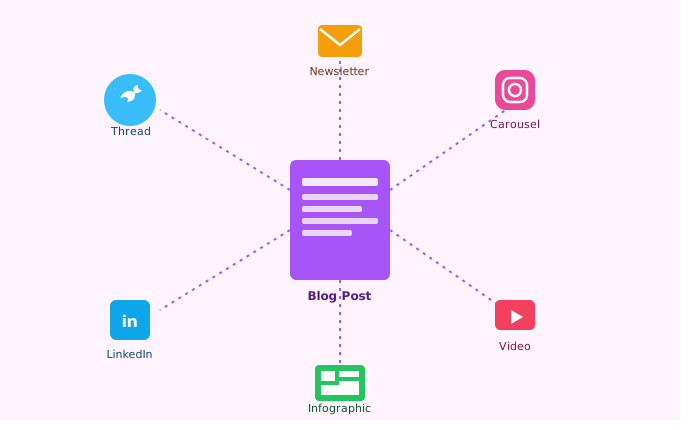
1. Turn Your Blog Post Into a Twitter/X Thread
This one’s super easy. Take your blog post, paste it into ChatGPT or Claude, and ask:
“Turn this blog post into a Twitter thread with a strong hook in the first tweet”
AI usually breaks it down into bite-sized tweets automatically. You’ll still want to tweak the hook line yourself since that’s the part that decides if people even click “show more.”
Tip: Always rewrite the first tweet manually. AI hooks tend to sound a bit generic, and that first line is the most important one.
2. Convert It Into a LinkedIn Post
LinkedIn loves more “story-style” or “lesson-style” posts compared to a straight summary. So instead of just copy-pasting your blog content, try this prompt:
“Rewrite this blog post as a LinkedIn post, written like a personal lesson or experience, with short punchy paragraphs”
This usually works really well for blogs that share opinions, mistakes, or things you learned the hard way. People on LinkedIn eat that stuff up.
3. Make an Instagram Carousel Out of It
If your blog post has steps, tips, or a list (like this one lol), it’s perfect for a carousel post.
Here’s the simple process:
- Ask AI to summarize your blog into 6-8 short carousel slide points
- Paste those points into Canva (they have ready carousel templates)
- Add your own brand colors/fonts so it doesn’t look generic
- Boom, new content format, same blog post
Tip: Keep each slide under 15-20 words. Carousels die fast when slides have too much text.
4. Create a YouTube Script or Short-Form Video Script
This one surprised me how well it works. Take your blog and ask:
“Turn this blog post into a 60-second video script for Instagram Reels/YouTube Shorts, casual tone, with a hook in the first 3 seconds”
You’ll usually need to trim it down more yourself since AI scripts can run a bit long, but it gives you a solid starting point instead of staring at a blank page.
5. Turn It Into an Email Newsletter
If you already have an email list (or starting one), don’t write a brand new email every time. Just repurpose your blog!
Simple prompt:
“Rewrite this blog post as a casual newsletter email, like I’m talking directly to my subscriber”
This keeps your email list active without doubling your writing workload every week.
6. Build a Quick Infographic
If your blog has stats, comparisons, or step-by-step stuff, ask AI to:
“Summarize this blog post into key data points/steps suitable for an infographic”
Then either:
- Use Canva’s AI-assisted design tools, or
- Use a simple image generator (like the ones we’ve talked about in other posts here) to create a clean visual summary
This works great for Pinterest too, which honestly a lot of bloggers ignore but still sends solid traffic.
7. Combine Multiple Old Posts Into One Mega Guide
This one’s slightly different. Instead of breaking ONE post into pieces, you go the other way: combine several related old posts into one comprehensive guide.
Ask AI:
“Here are summaries of 3 blog posts I’ve written on [topic]. Help me combine them into one structured, comprehensive guide without repeating information”
This is great for SEO too since comprehensive guides tend to rank well, and you’re recycling content you already wrote instead of starting from zero.
8. Turn Listicles Into Quiz or Poll Content
If your blog post is something like “5 AI tools every blogger needs,” you can flip it into interactive content:
“Turn this list into a fun quiz question or poll format for social media, like ‘Which one are you using?'”
This kind of content usually gets way more engagement than a plain link share, simple polls get people to actually interact instead of just scrolling past.
A Few Things to Keep in Mind
- Don’t just copy-paste AI output everywhere. Always tweak it a little so it sounds like YOU, not generic AI voice.
- Match the platform’s vibe. What works on LinkedIn won’t work the same on Instagram. Always ask AI to adjust the tone for the specific platform.
- Don’t repurpose everything. Pick your best-performing posts first instead of repurposing every single thing you’ve ever written.
- Keep a simple repurposing checklist so every new blog post automatically gets turned into at least 2-3 other formats without you having to think about it each time.
My Simple Repurposing Routine 🔄
Here’s roughly what I personally do now after publishing a new post:
Publish blog post
↓
Same day: Turn into Twitter/X thread
↓
Next day: Turn into LinkedIn post
↓
Within the week: Make 1 Instagram carousel
↓
If post has good data: Turn into infographic for Pinterest
↓
Add to next newsletter email
Doesn’t take long once you get into the habit, and honestly it’s made my content feel way more “everywhere” without writing 5x more stuff.
Final Thoughts
Repurposing content used to feel like extra work, but AI genuinely makes it way faster now. You’re not creating brand new ideas every time, just reshaping what you already have for different platforms and audiences.
Start small. Pick your best blog post from the last few months and try turning it into just ONE other format this week. Once you see the extra traffic/engagement it brings, you’ll probably want to make this a regular habit like I did.
Anyone else doing this already? What’s worked best for you, threads, carousels, newsletters? Drop your experience below, would love to steal… I mean, learn from your strategy 😄
Tags: Repurpose Blog Content, AI Content Repurposing, Content Marketing 2026, Blog to Social Media, AI for Bloggers, Content Strategy, Twitter Thread AI, LinkedIn Content Tips, Instagram Carousel Ideas, Blogging Productivity, AI Forum, AI Webloggers
This is an interesting topic because I think repurposing old content with AI can be helpful, but it shouldn’t become an automatic process. Not every old blog post needs to be updated. Some articles were written for a specific event, trend, or situation, and changing them too much might remove the original context that made them valuable.
Instead of asking AI to completely rewrite an old article, I prefer using it to identify what has become outdated. Then I manually update statistics, replace broken links, add recent developments, and improve readability while keeping the original message intact. This way, the article stays relevant without losing its authenticity.
Whether repurposed content attracts modern readers really depends on the topic. Evergreen posts about blogging, SEO, or productivity can benefit greatly from updates. But news articles or time-sensitive topics may be better left as historical content or rewritten as a completely new post with a fresh perspective. AI is a great assistant for the updating process, but I believe bloggers should decide what deserves to be repurposed and why, instead of updating every old article just because AI makes it easy.
I think repurposing content with AI is a smart way to get more value from our old blog posts, but we should not simply rewrite and republish everything. Before repurposing, it’s important to check whether the information is still relevant and update outdated facts, examples, and screenshots. AI can definitely speed up the process, but adding our own experience and fresh insights makes the content much more useful. I also like the idea of turning one blog post into social media posts, newsletters, or short videos. It saves time while helping us reach different types of audiences.
Yeah… well said repurposing is not just about saving time—it is also a great way to keep valuable information alive. Many older posts lose traffic simply because they are outdated. With the help of AI, we can refresh them by adding new examples, updating statistics, improving SEO, and converting them into social media posts, newsletters, or videos.
Coming back to add something I forgot to mention in my earlier comment.
One thing that actually worked really well for me personally was the newsletter repurposing step that @LinkBlogs mentioned. I took three of my older posts that were getting decent traffic but zero email engagement and turned them into a three-part email series using Claude.
Honestly the response rate on that series was better than anything I had written natively for email. I think because the blog content was already tested and proven, the ideas were solid, only the format needed changing.
So yes I still stand by being selective about what you repurpose. But when you pick the right post for the right format, the results can genuinely surprise you.
Tags: AI Content Repurposing, Email Newsletter AI, Blog to Email, Content Strategy, AI for Bloggers, Repurpose Blog Content