
Hello everyone,
I’ve noticed that many people use ChatGPT every day, but only a small percentage take advantage of Custom Instructions. If you’re still typing the same preferences at the beginning of every conversation, you’re spending unnecessary time.
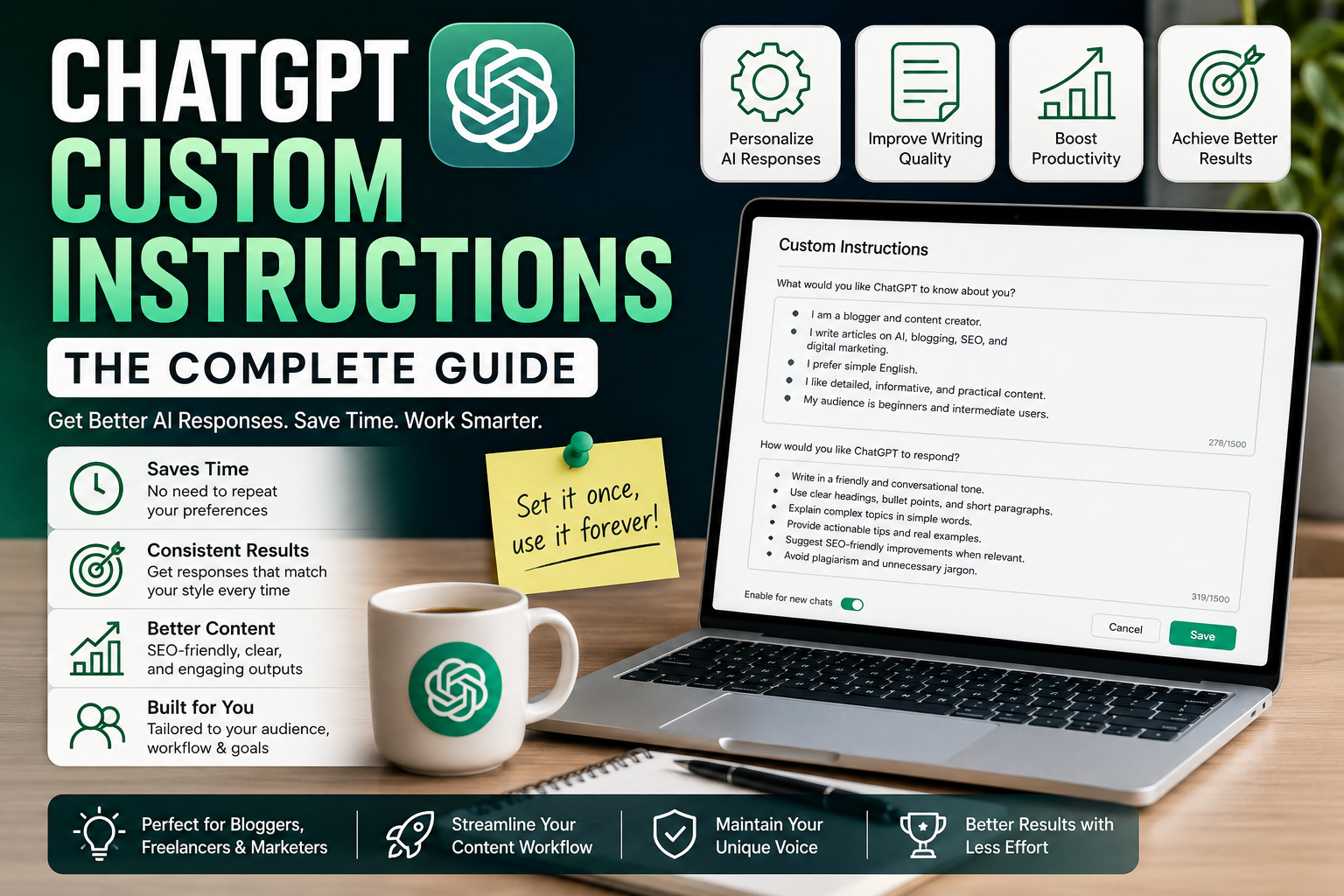
Custom Instructions let you tell ChatGPT how you want it to respond before you even start a conversation. Once they’re set up, ChatGPT remembers your preferences for future chats, making your workflow faster and more consistent.
If you’re a blogger, content creator, freelancer, or digital marketer, this feature can save hours every week.
What Are ChatGPT Custom Instructions?
Think of Custom Instructions as your permanent preferences for ChatGPT.
Instead of typing:
- “Write in simple English.”
- “Use headings.”
- “Make it SEO-friendly.”
- “Don’t use robotic words.”
every single time, you can save these preferences once.
After that, ChatGPT automatically follows those instructions in new conversations. It’s like giving ChatGPT a permanent job description.
Why Bloggers Should Use Custom Instructions?
Bloggers often ask similar questions every day.
Examples include:
- Generate blog ideas
- Create outlines
- Improve articles
- Write FAQs
- Suggest keywords
- Rewrite paragraphs
- Generate meta descriptions
Without Custom Instructions, you may need to explain your writing style repeatedly.
With them, ChatGPT already knows your preferred format.
Benefits I’ve Personally Noticed
After setting up Custom Instructions, I noticed several improvements.
1. More Consistent Writing
Every response follows a similar tone and structure.
That means less editing later.
2. Saves Time
I no longer need to explain my audience or writing style in every chat.
Even saving two minutes per conversation adds up over time.
3. Better SEO-Friendly Content
Since I always ask ChatGPT to use headings, short paragraphs, and natural language, my first drafts are much cleaner.
4. Beginner-Friendly Explanations
One instruction I always include is:
Explain difficult topics in simple words.
This makes technical subjects much easier to understand.
Information You Can Add
Everyone’s instructions will be different, but here are a few ideas.
Your Writing Style
Tell ChatGPT things like:
- Use simple English.
- Avoid complicated words.
- Keep paragraphs short.
- Write naturally.
Your Audience
For example:
“My readers are beginner bloggers.”
or
“My audience includes WordPress users and digital marketers.”
This helps ChatGPT adjust its explanations.
Formatting Preferences
You might ask ChatGPT to:
- Use H2 and H3 headings.
- Include bullet points.
- Add summaries.
- End with practical tips.
SEO Preferences
Many bloggers prefer instructions such as:
- Write naturally.
- Avoid keyword stuffing.
- Suggest related topics.
- Include FAQs where appropriate.
My Favorite Blogging Instructions
These are some of the instructions I find most useful.
- Write in a friendly conversational tone.
- Use simple English.
- Keep paragraphs short.
- Explain technical topics clearly.
- Use headings and bullet points.
- Avoid repeating ideas.
- Focus on useful information.
- Suggest internal linking opportunities.
- Mention practical examples whenever possible.
These simple rules improve almost every response.
What You Should Avoid?
Custom Instructions should guide ChatGPT, not overload it.
Avoid adding:
- Hundreds of complicated rules.
- Conflicting instructions.
- Very long paragraphs.
- Instructions that only apply to one specific conversation.
Keep them general enough to work across most of your chats.
A Simple Blogging Workflow
Here’s the workflow I use almost every day.
- Research the topic.
- Ask ChatGPT for an outline.
- Expand each section.
- Rewrite important parts.
- Add personal experience.
- Verify facts.
- Optimize for SEO.
- Publish.
Because my Custom Instructions are already saved, I can start directly with the topic.
Don’t Let AI Replace Your Voice
One mistake I see quite often is relying entirely on AI-generated text.
Custom Instructions can improve the writing, but your blog still needs your personality.
Try adding:
- Personal experiences
- Case studies
- Screenshots
- Practical tips
- Lessons you’ve learned
Those details make your content stand out.
Keep Updating Your Instructions
Your blogging style will change over time.
Every few months, review your Custom Instructions.
Remove anything you no longer use and add new preferences based on your workflow.
Think of them as a living document that evolves with your blogging journey.
A Sample Custom Instruction
If you’re not sure where to begin, here’s a simple example you can adapt:
Write in clear and simple English. Use a friendly, conversational tone. Keep paragraphs short. Use headings and bullet points where appropriate. Explain complex topics in an easy-to-understand way. Focus on practical advice instead of generic information. Avoid repeating ideas. When relevant, suggest SEO-friendly improvements and include actionable tips. Do not use unnecessary jargon or overly promotional language.
This won’t fit every use case, but it’s a good starting point for bloggers.
Final Thoughts
For me, Custom Instructions have been one of the most useful ChatGPT features. They don’t magically produce perfect content, but they reduce repetitive prompting and make the responses much more consistent.
If you’re serious about blogging, SEO, or content creation, it’s worth spending a few minutes setting them up. Over time, those saved minutes and improved outputs can make a noticeable difference in your workflow.
I’m curious to know how others are using this feature.
- What instructions have improved your results the most?
- Do you use different Custom Instructions for blogging, coding, or research?
- Have you noticed a big difference after enabling them?
Let’s share ideas and help each other build better AI workflows.
Keyword Tags:
ChatGPT Custom Instructions, ChatGPT Guide, AI Blogging, ChatGPT Tips, Prompt Engineering, AI Prompts, Blogging Workflow, Content Creation, SEO Writing, AI Productivity, Digital Marketing, Blog Growth, Content Strategy, AI Tools, Beginner Guide
Really thorough guide on Custom Instructions! One small thing I think got missed…… there’s no mention of telling ChatGPT what to avoid completely, like “never use em-dashes” or “don’t add a conclusion summary unless asked.” Negative instructions like that have personally cleaned up my outputs more than the positive ones did.
On the alternatives side — if anyone doesn’t want to rely on ChatGPT alone:
Custom Instructions exist in some form across most of these tools now, so it’s worth testing which one “remembers” your style best for your niche.
I completely agree with @MindGrid. Once I started using Custom Instructions properly, I noticed that I didn’t have to repeat the same prompts again and again. It saves time and also gives more consistent responses. I still make small changes depending on the topic, but having a good base setup has made my blogging workflow much smoother….